
Education
Where to find payment methods in Coindisco
Nov 12, 2026 · 3 min read
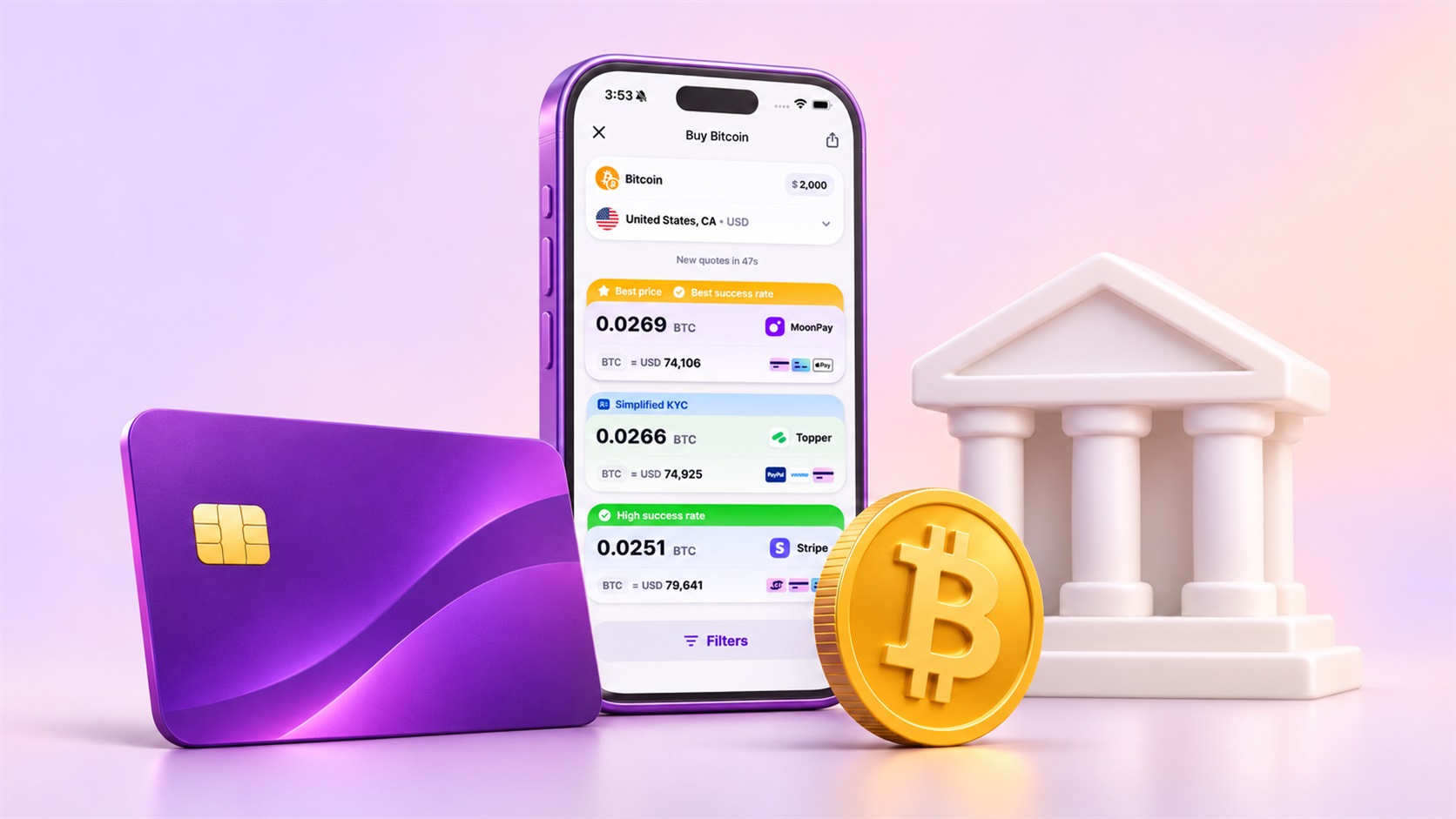
Your payment profile says “United States, California, USD.” You enter $2,000 for bitcoin, and the offers appear with card payments, Apple Pay and other available ways to pay.
In Coindisco’s mobile apps and web app, you start with a payment profile: country, state where needed, and fiat currency. The search covers all available payment methods for that combination. You choose a particular way to pay later, at the provider.
The country in a payment profile refers to the card, bank account or digital wallet you use to pay. A US-issued card and a card issued in another country belong to different payment profiles.
Payment methods on each offer
The icons sit in the bottom-right corner of each offer. In the screenshot below, one offer lists card payments and Apple Pay, another includes PayPal and Venmo. Those icons belong to the individual offer.
The Filters button opens Payment types, where a debit-card filter narrows the results to offers that support debit cards. Once you clear the filter, the other payment options return to the comparison.
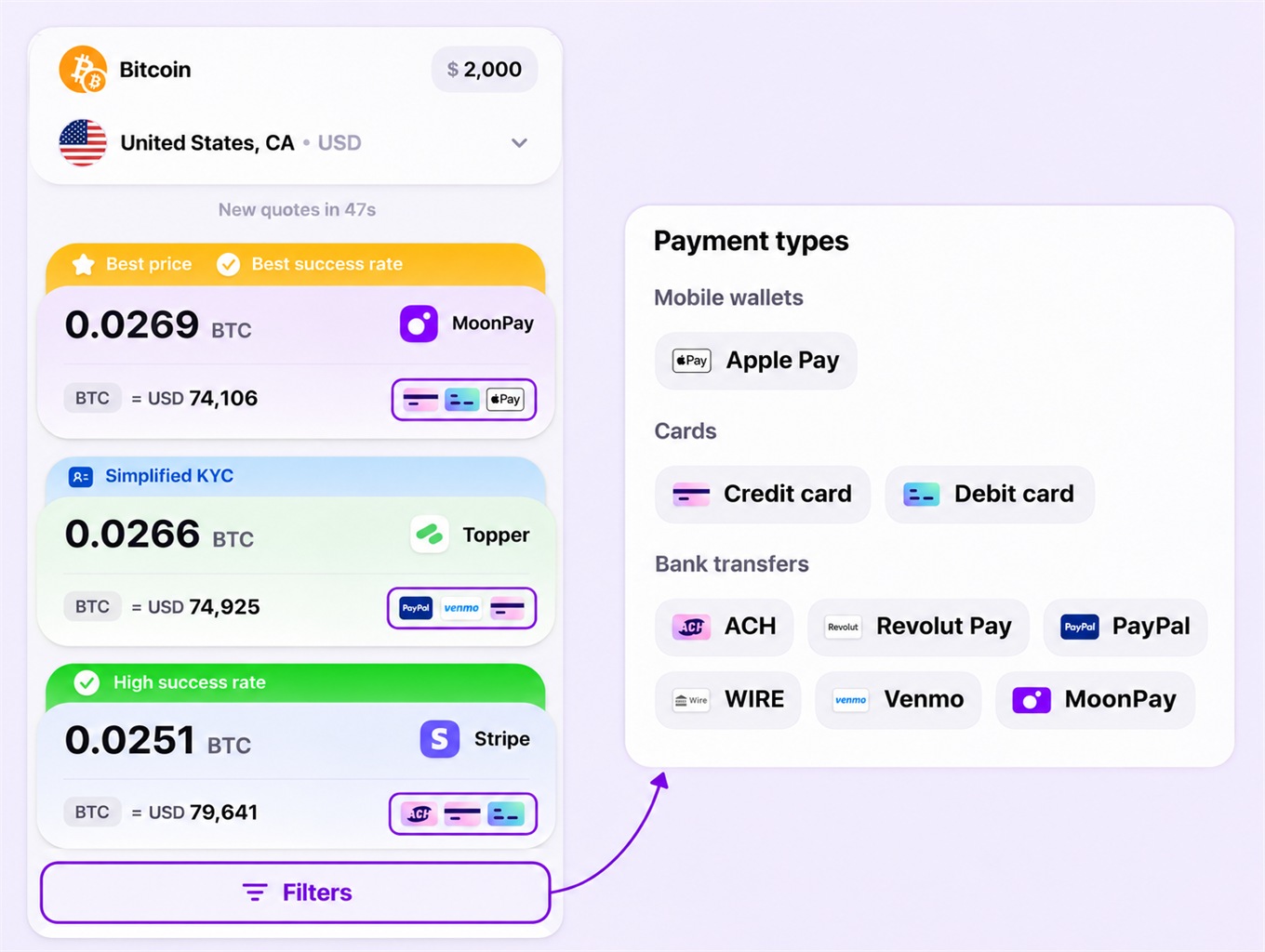
The payment method and provider remain separate choices. Several providers may support debit cards, with different amounts of bitcoin offered for the same $2,000. You compare how much bitcoin each provider offers for the same $2,000.
Payment continues at the provider
After choosing an offer, you continue to the provider’s checkout.
At checkout, you keep the preselected payment method or choose another option available from that provider. You enter the payment details there, and the provider handles the payment.
A saved payment profile keeps your regional settings for another purchase. Coindisco does not store card numbers, expiry dates, CVV codes or bank account numbers.
The widget has a separate selector
The Coindisco widget takes a different route. It has a Choose payment method selector before the provider offers.
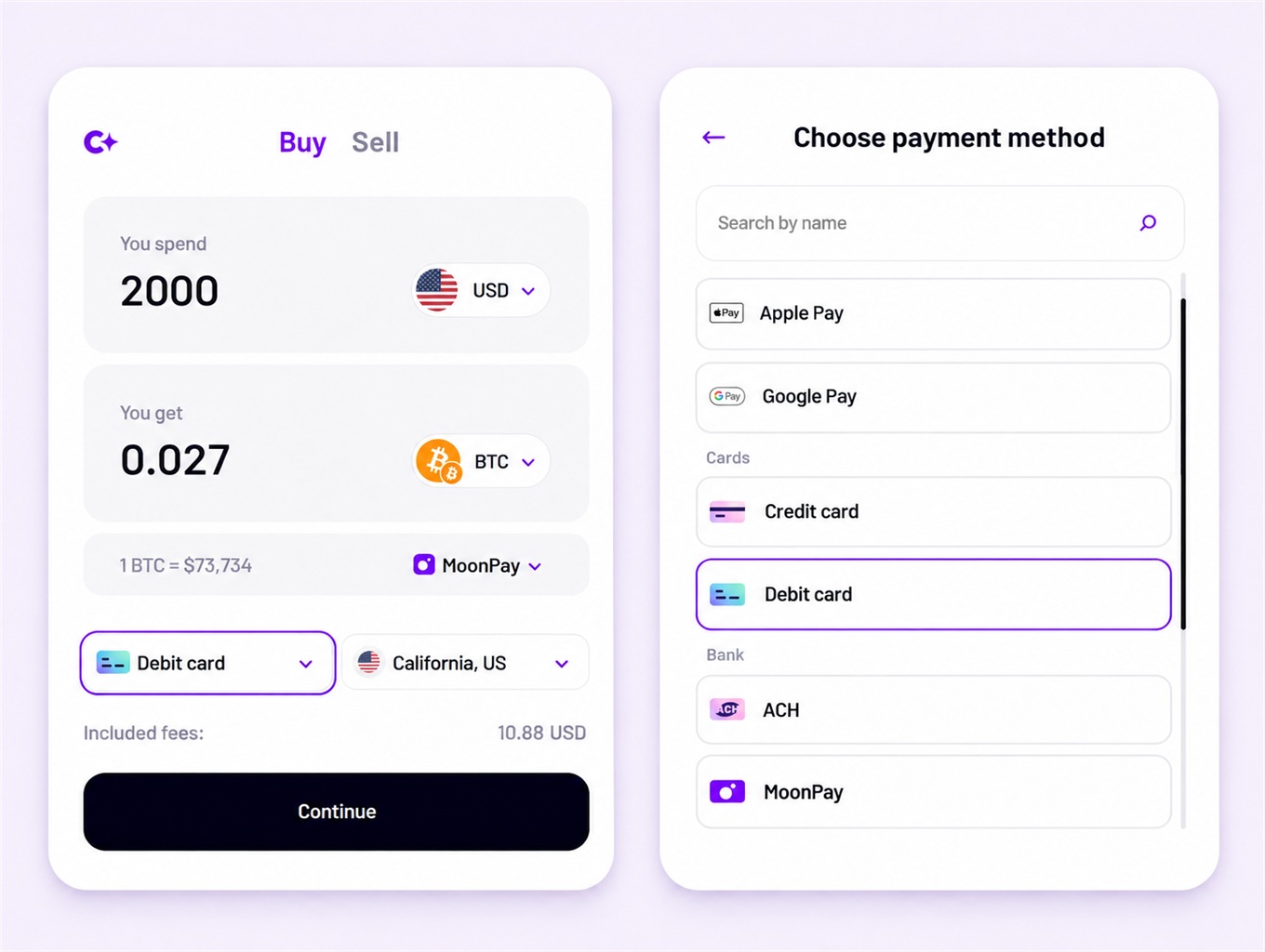
In the widget above, Debit card appears beside California, US. You open the payment field to see the list on the right, where Debit card is selected.
The picker groups methods into categories such as Cards and Bank. Its search field helps you find a familiar payment method by name without scrolling through the whole list.
If you change Debit card to Apple Pay, the widget shows matching offers for Apple Pay. You then compare providers by the amount of BTC offered for your $2,000 purchase and choose one to continue.
Your next purchase
Coindisco is available on your phone and in your browser. Your next purchase can start in the app from the App Store or Google Play, the web app, or the widget available through coindisco.com.
Share this article
Start trading on Coindisco
Find the best available rate for your purchase.
Related articles
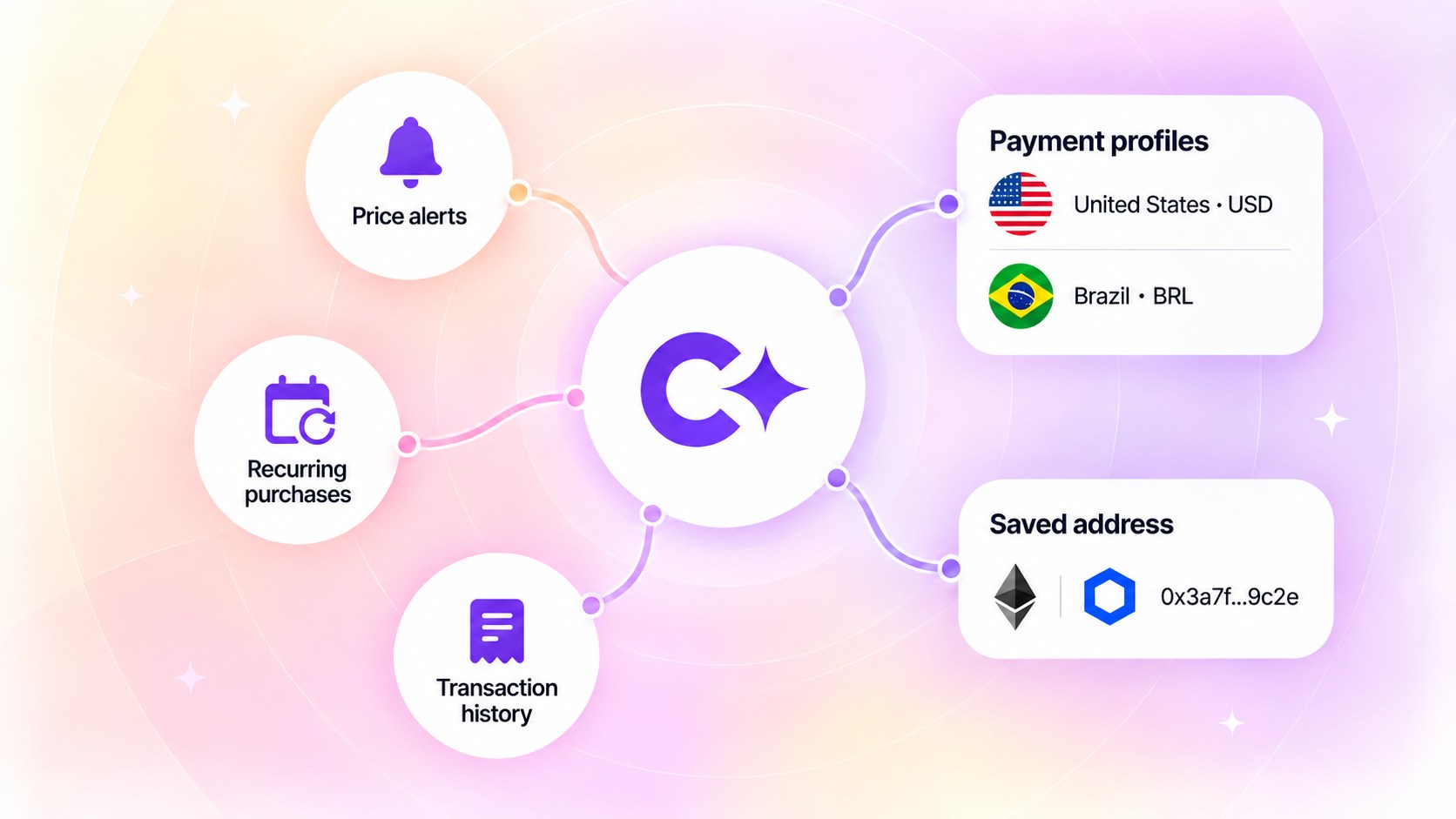
Set it up once: payment profiles, saved addresses and your account
Payment profiles keep the country and the currency, never card data. See how saved wallet addresses and a Coindisco account speed up the next purchase.
You chose a crypto offer. What happens next?
Follow one purchase through the crypto on-ramp: provider checkout, verification, payment, and delivery to your wallet.
How to find the best crypto rate: look at what you actually receive
A practical guide to comparing crypto purchase offers, provider fees, exchange rates, payment methods, and the final amount you receive.